
Favorites list explained
Favorites list explained
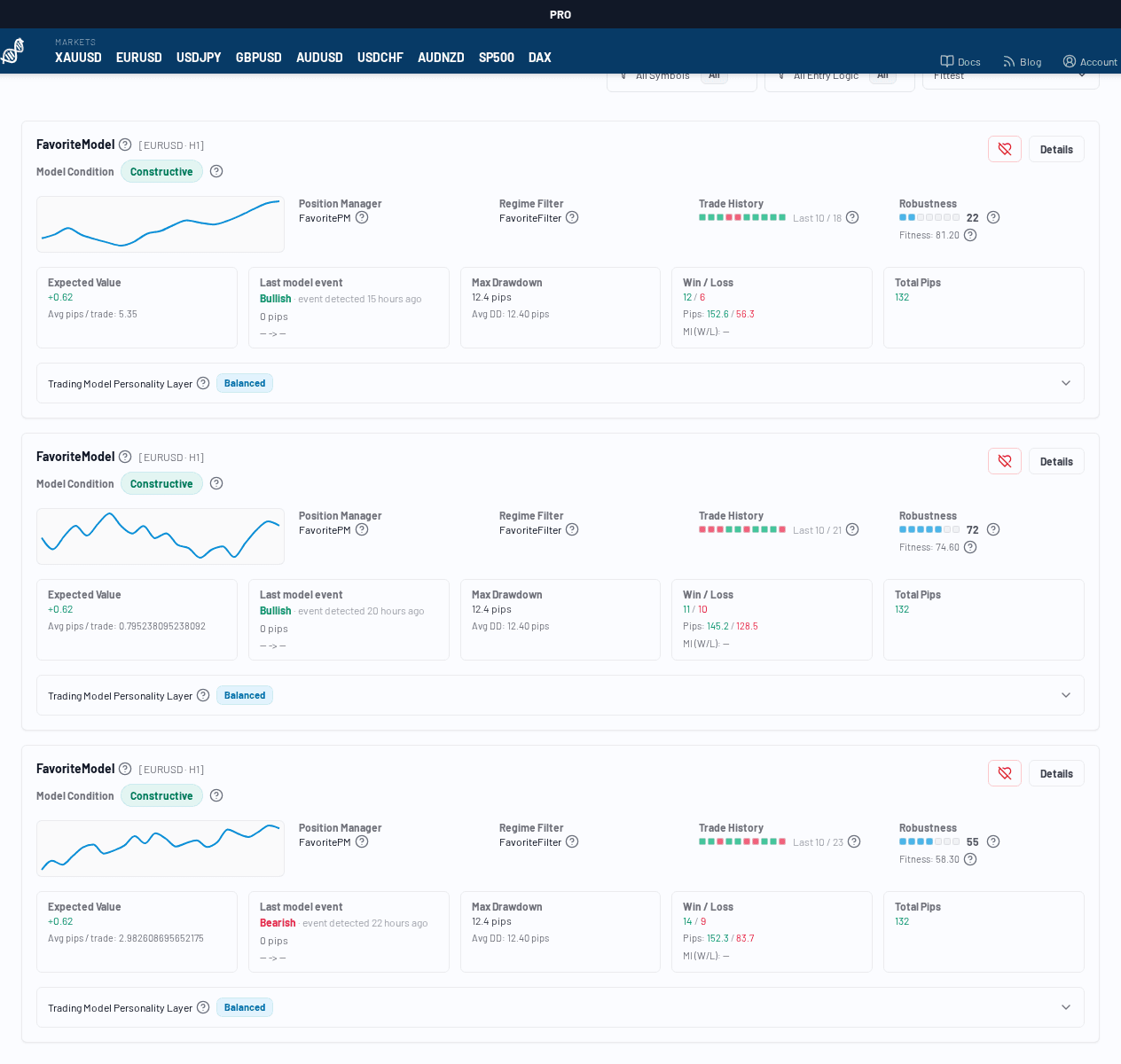
The Favorites page lets you keep a short list of Trading Models you want to monitor repeatedly.
What it is for
Use favorites to:
- bookmark interesting models while comparing symbols
- revisit models quickly without searching/filtering again
- track a personal shortlist over time
What you see on this page
The page reuses the Trading Model card layout, so you still get:
- model identity (entry logic, symbol, timeframe)
- current model condition
- key metrics (expected value, drawdown, robustness, etc.)
- quick access to the Details page
Extra action on Favorites page
Each card includes a Remove from favorites button.
When clicked:
- a confirmation dialog appears
- you confirm removal
- the model is removed from the list
Empty state
If you have no favorites yet, the page shows a helpful empty state and points you back to adding favorites from the model detail page.
How to add a favorite
You usually add favorites from the Trader Detail page:
- open a model via Details
- click Favorite in the lifecycle panel